For live streaming storm chases, you’ll need a reliable camera like the Sony A7Rii or GoPro, paired with a hardware encoder such as the VidiU Pro or free software like OBS. Mount your setup using a Ruff-Ride rooftop system and bond your cellular signal across Verizon and AT&T for uninterrupted coverage. The Highways & Hailstones app streamlines your broadcast workflow. Keep exploring to uncover the full gear breakdown that keeps professional chasers on air.
Key Takeaways
- Cameras like the Sony A7Rii, GoPro, and Panasonic Lumix GH4 offer reliable image quality and durability for storm chasing streams.
- Verizon and AT&T hotspots provide the most reliable mobile internet coverage, while cellular bonding solutions like Sharelink ensure uninterrupted streaming.
- Hardware encoders like VidiU Pro offer setup simplicity, while OBS provides free, flexible software encoding with dynamic overlay options.
- Ruff-Ride rooftop mounts and PTZ controllers keep cameras stable and adjustable during high-wind storm environments.
- The Highways & Hailstones app simplifies live streaming by managing RTMP configuration and enabling social media sharing instantly.
Best Cameras for Live Streaming Storm Chases
When it comes to live streaming storm chases, choosing the right camera can make or break your broadcast quality. You’ve got several solid options depending on your setup and budget.
For storm photography and high-resolution documentation, the Sony A7Rii delivers exceptional image quality. The Panasonic Lumix GH4 works well for handheld or tripod shots, while the Sony FDR AX33 serves as a reliable dashcam during active pursuits.
Video stabilization becomes critical when you’re capturing intense weather conditions. GoPro cameras handle rugged environments effectively, and many chasers rely on secondary smartphones for quick live streaming deployments.
Stabilization isn’t optional in storm chasing — it’s the difference between usable footage and a blurry mess.
Each camera serves a distinct purpose. Match your equipment to your specific chase role, whether that’s mobile pursuit, stationary documentation, or broadcast-grade live streaming.
Which Streaming Platforms Work Best for Live Storm Chasing?
Choosing the right camera gets you halfway there, but your streaming platform determines how your audience actually watches the chase unfold. YouTube remains the strongest option for live storm chasing, offering solid platform reliability, broad audience reach, and built-in RTMP support for seamless encoder integration.
You’ll input a server URL and unique stream key into OBS or your hardware encoder to initiate the broadcast.
The Highways & Hailstones app gives you purpose-built streaming features designed specifically for chasers, letting you activate a live session directly through Record then Live Storm Chase. Your stream then appears on the Live Chase map, shareable instantly via Twitter and Facebook.
For maximum independence, combine both platforms — YouTube captures your audience while Highways & Hailstones keeps the chasing community informed.
Should You Use a Hardware or Software Encoder While Chasing?
Once your platform’s locked in, how you encode that signal becomes the next critical decision.
Hardware advantages include setup simplicity—devices like the VidiU Pro or Live-U Solo connect directly to your camera without complex software configuration. You’ll gain streaming reliability in demanding field conditions where a dedicated encoder outperforms a laptop running OBS.
However, software flexibility matters too. OBS handles encoder comparisons effortlessly, letting you add overlays and adjust settings dynamically.
Performance evaluation favors hardware when cellular coverage weakens, while software wins on cost considerations—it’s free versus hundreds spent on Teradek bonding units.
Your user preferences ultimately decide this. If you’re chasing solo with limited setup time, hardware encoders deliver. If you’ve got a backseat computer setup, software gives you greater control.
How to Set Up OBS for Storm Chase Broadcasts
To set up OBS for storm chase broadcasts, you’ll need to input your streaming platform’s server URL and unique stream key under the Stream Settings tab.
Once connected, you can add scene overlays that display real-time storm data, GPS coordinates, and camera feeds directly onto your broadcast.
Pairing OBS with a hardware encoder via HDMI gives you a cleaner signal pipeline and reduces the processing load on your chase vehicle’s computer.
Configuring OBS Stream Settings
Setting up OBS for a storm chase broadcast starts with scrolling to Settings, then selecting the Stream tab. Here, you’ll input your streaming platform’s server URL and unique stream key — two critical OBS features that authenticate and direct your live feed.
Choose your service from the dropdown menu, then paste the stream key provided by platforms like YouTube.
Under the Output tab, set your encoder to match your hardware’s capabilities, targeting 1080p30 H.264 for clean, broadcast-quality footage.
For reliable streaming tips, keep your bitrate between 3,000–6,000 Kbps, balancing quality against your cellular connection’s limitations.
Enable the “Rescale Output” option if bandwidth tightens during remote chases. These precise configurations guarantee your storm footage transmits cleanly without dropping frames or losing your audience mid-chase.
Adding Overlays and Encoders
With your stream settings locked in, OBS gives you 3 core tools for professional overlays: the Sources panel, Scene Collections, and the Audio Mixer.
Use the Sources panel to layer your overlay designs—radar feeds, GPS coordinates, and storm data—directly over your camera footage.
Scene Collections let you switch between chase configurations instantly without rebuilding your setup.
For encoder comparisons, hardware encoders like the VidiU Pro and Live-U Solo offload processing from your laptop, delivering stable 1080p30 H.264 output without frame drops during high-speed chases.
OBS handles software encoding efficiently when cellular bandwidth cooperates. If you’re operating in remote coverage zones, pair a hardware encoder with bonded cellular connections.
Your overlay and encoder choices directly determine broadcast quality when conditions turn severe.
Best Hotspot Carriers for Remote Storm Chasing
When chasing storms in remote areas, you’ll want dedicated hotspots from both Verizon and AT&T to maintain reliable mobile internet coverage.
Neither carrier alone guarantees consistent signal across all terrain, so you should bond multiple network sources using a solution like Sharelink to compensate for gaps in cellular coverage.
If you’re operating in zones where individual carriers fail, cellular bonding becomes your most critical tool for sustaining a stable live stream.
Top Carrier Recommendations
Choosing the right hotspot carrier can make or break your live stream in the field. For storm chasing, carrier performance directly determines whether your broadcast stays live or drops mid-chase.
Verizon and AT&T consistently deliver the strongest network reliability across rural and remote terrain, making them the top recommendations for dedicated hotspot devices.
Don’t rely on a single carrier. Running both Verizon and AT&T simultaneously gives you redundant coverage when one network weakens in sparse cellular zones.
Cellular bonding solutions like Sharelink aggregate both connections, maximizing your upload bandwidth and stream stability.
Avoid budget carriers that piggyback on primary networks — they deprioritize data during congestion, exactly when you need it most.
Invest in dedicated hotspot plans from Verizon and AT&T to keep your stream running freely and uninterrupted.
Coverage In Remote Areas
Remote storm chasing takes you into terrain where cellular infrastructure thins out fast, so your carrier choice becomes a critical operational decision.
Remote streaming challenges intensify once you’ve pushed beyond populated corridors into open plains or mountain terrain where single-carrier signals collapse entirely.
Your strongest connectivity solutions combine dedicated Verizon and AT&T hotspots simultaneously. Neither carrier dominates every region, so running both gives you overlapping coverage when one signal degrades.
Tools like Sharelink bond multiple network sources into a single reliable stream, preventing dropouts mid-chase.
Avoid depending on the Live-U Solo in low-coverage zones—it fails without adequate signal strength.
Instead, cellular bonding hardware compensates for weak individual connections by aggregating available bandwidth across carriers, keeping your stream stable where single-point connections won’t survive.
Bonding Multiple Network Sources
Real-time analytics and network monitoring let you track each carrier’s performance, allowing smart data management decisions mid-chase.
You’ll maintain streaming quality even when one network degrades, because redundancy strategies keep your feed alive.
Equipment compatibility matters too — confirm your encoder supports bonded cellular inputs without bottlenecking throughput.
With Verizon and AT&T working together through proven bonding hardware, you’re not dependent on any single point of failure.
How to Bond Cellular Networks for Reliable Storm Chase Coverage
When chasing storms in remote areas, you’ll often find that a single cellular connection isn’t enough to maintain a stable, high-quality live stream.
Cellular bonding solves this by combining multiple network sources—typically Verizon and AT&T hotspots—into one unified, stronger connection. Tools like Sharelink aggregate these signals, dramatically improving network reliability during critical chase moments.
Here’s how to set it up effectively:
- Run dedicated hotspots from at least two separate carriers simultaneously.
- Connect both signals through your bonding device or software.
- Monitor bandwidth output to confirm the combined connection maintains stream quality.
In areas where one carrier drops, the other compensates, keeping your stream live.
This redundancy is essential when you’re deep in remote terrain with no room for connectivity failure.
How to Mount Cameras on Your Chase Vehicle for a Live Stream
Mounting cameras on your chase vehicle correctly determines both footage quality and equipment safety during high-intensity storms.
You’ll need reliable mounting options that prioritize camera stability, weather protection, and accessory compatibility without slowing your pursuit.
Key mounting considerations for your live stream setup:
- Ruff-Ride rooftop mounts deliver camera stability and weather protection during extreme conditions.
- PTZ controllers let you adjust angles remotely, eliminating manual repositioning mid-chase.
- Quick release mechanisms streamline setup and teardown when repositioning rapidly.
- Dashcam brackets secure Sony FDR AX33 units for continuous in-motion capture.
Streamlining setup means fewer distractions while chasing.
Prioritize vehicle safety by confirming every mount handles high-wind stress before deploying.
Adjustable angles give you broadcast-ready flexibility, letting you capture exactly what you need without compromising your chase position.
How to Display GPS Location During a Live Chase Stream
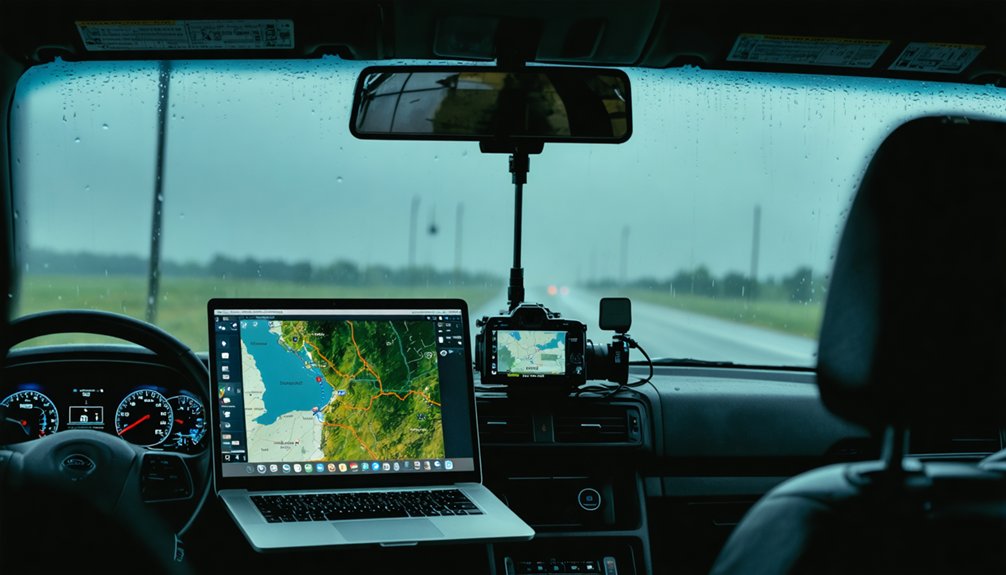
Displaying your GPS location during a live chase stream keeps viewers oriented and adds a professional layer to your broadcast.
For seamless GPS integration, use Omega to pair your phone’s GPS with your remote computer, enabling real-time tracking data to appear directly in your stream overlay.
Configure OBS to pull that location feed and display coordinates or a moving map graphic over your camera output.
Configure OBS to overlay live coordinates or a dynamic moving map directly onto your storm chase camera feed.
You’ll need a stable cellular connection through dedicated Verizon or AT&T hotspots to guarantee continuous data transmission without dropout.
Sharelink’s bonding capability strengthens that connection in low-coverage areas, keeping your real-time tracking uninterrupted.
This setup lets you stream precise positional data alongside storm footage, giving viewers complete situational awareness throughout your chase.
Storm Chase Accessories That Keep Your Live Stream Running
To keep your live stream operational during a chase, you’ll need reliable mounts, camera supports, and connectivity solutions working together.
Roof-mounted systems like the Ruff-Ride secure your PTZ camera remotely, while bonding solutions like Sharelink combine multiple cellular networks to maintain stable transmission in low-coverage areas.
Monitors and PTZ controllers let you verify feeds and adjust camera positioning without leaving your vehicle.
Mounts and Camera Supports
Stable camera support separates a professional-looking live stream from shaky, unusable footage during a chase.
You’ll need reliable mounting techniques and camera stability solutions that withstand extreme weather conditions.
Key mounting options include:
- Ruff-Ride roof mount — secures PTZ cameras atop your vehicle, allowing remote operation during active pursuits
- Dashcam mounts — keep cameras firmly positioned inside the vehicle while you’re driving through storm environments
- Tripods — stabilize your Panasonic Lumix GH4 or similar cameras during stationary shoots
- PTZ controller — lets you remotely reposition your rooftop camera without stepping outside
Each solution addresses a specific shooting scenario you’ll encounter.
The Ruff-Ride system even earned Emmy recognition for its broadcast-quality performance, proving that professional mounting techniques directly impact your stream’s credibility and visual output.
Connectivity and Bonding Solutions
Without a reliable internet connection, even the best cameras and encoders become useless during a live chase. That’s why cellular redundancy isn’t optional—it’s essential.
You’ll want dedicated hotspots from both Verizon and AT&T running simultaneously, so you’re never dependent on a single carrier’s coverage.
Sharelink bonds multiple network sources together, delivering consistent bandwidth through network optimization even when individual signals weaken. This bonding approach keeps your stream alive through coverage gaps that would otherwise kill a broadcast.
The Live-U Solo performs well in strong cellular zones but fails in remote areas, so don’t rely on it alone.
Pair your phone’s GPS with Omega for accurate location display, and you’ll maintain both situational awareness and broadcast reliability wherever the storm takes you.
Monitors and Control Devices
Key accessories that keep you in command:
- Dashboard monitors confirm your camera feeds are active and properly framed during pursuit.
- PTZ controllers let you remotely operate rooftop cameras without physical adjustment.
- Remote desktop software connects your vehicle’s computer directly to your home graphics setup.
- Dedicated display screens verify the Ruff-Ride rooftop camera output in real time.
These tools eliminate guesswork, letting you focus on the storm while your stream stays sharp, stable, and broadcast-ready.
How to Go Live Using the Highways & Hailstones App
Going live with the Highways & Hailstones app is straightforward once you’ve got the app open and your stream ready.
Navigate to the Record option, then select Live Storm Chase to activate your broadcast. The app’s features handle RTMP URL and stream key configuration, feeding your stream directly to the Highways & Hailstones Live Map for viewers tracking active chases.
Once you’re live, you can immediately share your stream across Twitter and Facebook, expanding your reach without extra steps.
These live streaming tips keep your workflow efficient in the field: confirm your cellular connection beforehand, verify your stream key is correctly entered, and monitor your feed output before committing to a full broadcast.
Stay mobile, stay connected, stay live.
Frequently Asked Questions
Can Storm Chase Live Streams Be Monetized on Youtube or Facebook?
Yes, you can monetize storm chase live streams on YouTube and Facebook through ads and donations. Effective monetization strategies and strong audience engagement boost your revenue while broadcasting raw, unfiltered weather events live.
What Upload Speed Is Required for Stable Storm Chase Live Streaming?
You’ll need at least 5–10 Mbps upload speed for stable streaming technology performance. Bond multiple cellular connections using Sharelink to strengthen internet connectivity, ensuring Verizon and AT&T dedicated hotspots keep your 1080p30 H.264 stream running reliably.
How Do You Protect Streaming Equipment From Hail During a Chase?
While exposure feels unavoidable, you’ll protect your gear using hail resistant gear and protective enclosures. Mount the Ruff-Ride system on your rooftop—it’s engineered specifically to withstand extreme weather conditions during active storm chases.
Can Multiple Chasers Stream Simultaneously to One Live Chase Map?
Yes, you can stream simultaneously with multiple chasers to one live chase map. The Highways & Hailstones app supports multi chaser integration, letting each chaser use their own streaming software, RTMP URL, and unique stream key.
What Battery Solutions Keep Streaming Equipment Powered During Long Chases?
You’ll want portable power stations paired with solar chargers to keep your streaming gear running during extended chases. Dedicate separate hotspots to Verizon and AT&T, ensuring your encoders, cameras, and bonding devices don’t drain a single power source simultaneously.
References
- https://highwaysandhailstones.com/help/live-streaming/
- https://teradek.com/blogs/articles/storm-chasing-with-teradek-a-bonding-solution
- https://www.youtube.com/watch?v=Bf6Zh-onPlk
- https://www.youtube.com/watch?v=Sr2lz72ZYwM
- https://stormtrack.org/threads/question-what-software-are-you-using-to-livestream-your-chase.32790/
- https://www.rugged-cctv.com/mobile-camera-systems-for-weather-and-news-broadcast/
- https://www.meteor.iastate.edu/~ckarsten/chase/setup.html
- https://www.benholcomb.com/storm-chasing/equipment/