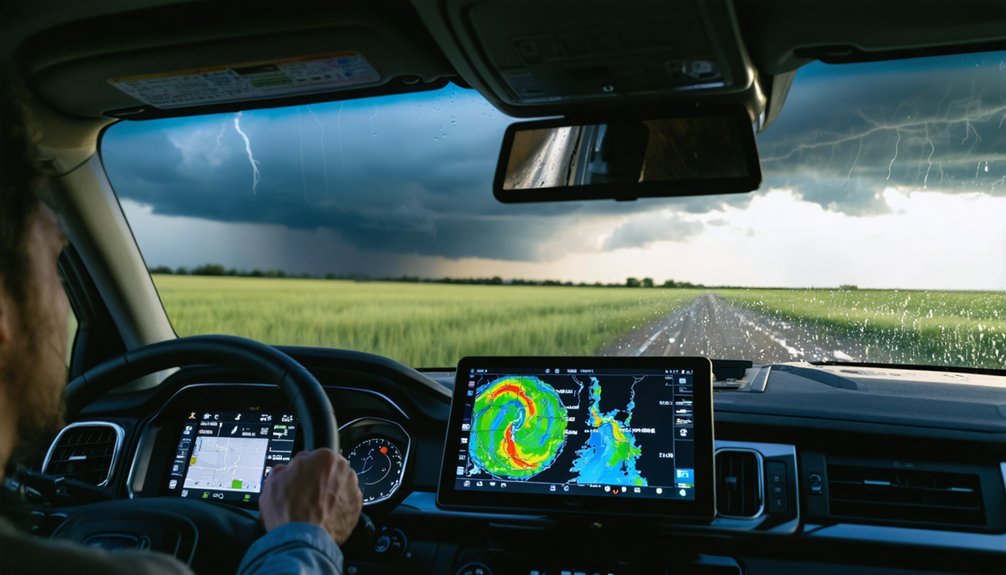
Launch Windy and activate the CAPE layer through Weather Profiles to identify convective instability, then overlay dewpoint data to locate moisture-rich air masses. Enable the radar and lightning tracker via the thunderstorm icon for real-time precipitation cores and strike density. Use the timeline scrubber to animate pressure systems and frontal boundaries across multiple forecast hours. Layer wind gusts with 850 hPa temperature gradients to pinpoint intensification zones. Compare ECMWF against GFS models to assess trajectory confidence intervals and refine your intercept coordinates for maximum operational effectiveness.
Key Takeaways
- Activate CAPE index and dewpoint layers through Expert Weather Profiles to identify atmospheric instability and moisture-rich convective hotspots.
- Use the altitude slider with pressure layers to analyze vertical storm structure and identify frontal boundaries through isobar spacing.
- Enable Doppler radar and real-time lightning tracking via the thunderstorm icon to monitor active storm cells and intensity.
- Access Hurricane Tracker for real-time positions, wind speeds, and probability cones while comparing ECMWF and regional forecast models.
- Overlay wind gust readings with precipitation data and scrub the timeline to project storm movement and intensification zones.
Upon launching Windy App, the interface immediately presents a weather map centered on your current geographic position, displaying real-time wind and temperature data through a particle-based visualization system. You’ll navigate freely using pinch-to-zoom gestures for adjusting perspective levels and swiping motions for global exploration.
The magnifying glass icon activates location search, letting you input coordinates or place names for instant detailed forecasts—essential when analyzing custom weather data overlays across multiple regions.
Particle animations flow directionally, representing wind movement, while isobar lines connect equal atmospheric pressure points. Four distinct forecast detail levels appear based on your zoom range, supporting interpreting real time sensor readings.
Access the three-bar menu to find your current location, or tap the home icon for rapid repositioning during active tracking sessions.
Activating Essential Atmospheric Layers for Storm Analysis
To assess storm development potential, you’ll need to activate the CAPE index layer, which quantifies atmospheric instability by measuring energy available for convective activity.
Access dewpoint data through the temperature menu to identify moisture-laden air masses that fuel severe weather systems.
Load the 850 hPa pressure layer to establish frontal boundaries where temperature gradients and wind direction shifts create the convergence zones necessary for storm initiation.
Accessing CAPE and Dewpoint Data
Storm chasers need quantitative atmospheric data to identify severe weather potential, and Windy.app delivers this through specialized parameter layers focused on instability metrics.
You’ll access CAPE and dewpoint by selecting Sail, Air, or Expert Weather Profiles, then locating the CAPE Index among left-side parameters. For custom configurations, use the Customization feature in version 9.4.
Key data access points include:
- Real-time observed dewpoint from nearby weather stations displayed in meteograms
- CAPE overlays across 16 altitude levels from surface to 13.5km/FL450
- Model data from NAM, GFS, and ECMWF supporting layered parameter views
- SkewT and soundings from your current location for vertical profile analysis
Monitoring CAPE trends alongside analyzing dewpoint observations allows you to pinpoint convective hotspots. High CAPE values combined with elevated moisture content signal conditions favorable for explosive cumulonimbus development.
Loading Multi-Level Pressure Systems
While CAPE and dewpoint measurements reveal atmospheric instability potential, pressure system analysis maps the horizontal distribution of air mass boundaries and gradient forces that steer storm motion.
You’ll access pressure layers through the three-line menu in Windy.app’s bottom right corner, enabling “Isolines of Pressure” for isobaric overlays. The dedicated Pressure layer displays both isobars and heat map-style visualizations, essential for interpreting pressure center patterns and identifying system intensity. Utilize the altitude slider for altitude specific pressure analysis, revealing wind speeds at various elevations critical for understanding vertical storm structure.
Isobar spacing indicates wind behavior and frontal boundaries, while timeline scrubbing projects pressure system movement up to 10 days ahead. You’ll access 50+ atmospheric layers for thorough analysis without interpretation restrictions.
Setting Up Radar and Lightning Tracking Features
When tracking severe convective systems, your first priority involves configuring Windy’s radar visualization tools for maximum situational awareness. Access the thunderstorm icon to activate Doppler radar layers, which display detailed lightning strike mapping in real-time sequence. You’ll need adjusting vibration alert settings to receive tactile feedback during lightning flashes—essential when you’re monitoring multiple parameters simultaneously.
Premium subscriptions grant access to 12-hour radar history for post-event analysis and comprehensive storm warnings. Optimize your display by:
- Overlaying lightning data with temperature and isobar fields for pressure gradient analysis
- Selecting 1-hour, 6-hour, or 12-hour radar loops based on system evolution timescales
- Stacking precipitation layers with wind barbs at model grid nodes
- Configuring transparency settings across satellite and hybrid map views
These configurations provide unrestricted access to critical meteorological parameters for autonomous decision-making in dynamic convective environments.
Monitoring Hurricane Development and Trajectory Paths
Tropical cyclone monitoring requires synthesizing multiple data streams within Windy’s hurricane tracking interface to establish accurate position fixes and forecast confidence intervals. You’ll access the Hurricane Tracker feature to view real-time storm positions, wind speeds, and probability cones showing trajectory predictions.
When interpreting tropical cyclone advisories, compare ECMWF global forecasts against regional models like NAM and HRRR for U.S. systems. The spot screen consolidates data from 10+ weather models, enabling you to assess ensemble forecast uncertainty through model comparison capabilities.
Click anywhere on the interactive map to extract exact wind speeds, gusts, and directional data. Layer wind gust readings with precipitation overlays to identify intensification zones. The platform’s Weather History section provides historical trajectory patterns for analog storm analysis without subscription restrictions.
Utilizing Model Forecasts and Time-Lapse Animations

Storm chasers maximize forecast accuracy by synthesizing multiple numerical weather prediction models through Windy’s comparative layer system. You’ll access NAM, GFS, and ECMWF models from the layers menu, accessing pressure gradient data by overlaying isobars with temperature fields to identify frontal boundaries and mesoscale features. The AIFS model extends your planning window to 15 days with 2.3 km resolution.
Synthesizing NAM, GFS, and ECMWF models through comparative overlay analysis reveals critical frontal boundaries and mesoscale atmospheric features for precision storm intercepts.
Time-lapse animations reveal atmospheric evolution critical for intercept positioning:
- Press play to animate wind barbs, CAPE values, and dew points across forecast periods
- Slide the timeline bar to examine specific synoptic configurations at target times
- Zoom into granular detail to track frontal movements and convergence zones
- Loop 12-hour Radar+ sequences to validate model initialization accuracy
Interpreting skew T diagrams provides vertical atmospheric profiles, revealing instability layers, hodographs, and convective parameters essential for supercell forecasting.
Comparing Multiple Weather Models for Accurate Predictions
You’ll increase forecast accuracy by cross-referencing the NAM’s 12km mesoscale resolution against the GFS’s 13km global grid, identifying convergence zones where both models align on severe weather parameters.
The ECMWF consistently outperforms GFS in five-day forecast skill, making it your primary tool for initial target selection 72-120 hours out.
Windy’s side-by-side model comparison interface lets you overlay NAM short-range convective detail with ECMWF medium-range synoptic patterns, pinpointing where deterministic outputs agree on setup features like dry lines and upper-level troughs.
NAM Vs GFS Models
Two flagship numerical weather prediction systems dominate storm chasing operations: the Global Forecast System (GFS) and the North American Mesoscale (NAM) model, each engineered by NOAA for distinct forecasting applications.
GFS advantages include:
- 384-hour forecast duration enabling multi-day chase expedition planning
- Four-times-daily updates incorporating continuous global data assimilation
- Worldwide coverage for tracking synoptic-scale patterns approaching North America
- Reliable mid-range outlook 3-7 days before target events
NAM disadvantages stem from computational constraints:
- 84-hour maximum forecast window limiting advance planning
- Twice-daily update cycle reducing temporal data integration
- Regional domain excluding upstream Pacific influences
You’ll leverage GFS for preliminary targeting windows, then switch to NAM’s 3-12 km resolution grids within 48 hours for mesoscale feature discrimination and convective initiation zones.
ECMWF Forecast Comparison Tools
When forecast model disagreement creates uncertainty during chase planning, Windy’s Compare Forecast feature resolves ambiguity by displaying multiple numerical weather prediction systems simultaneously. You’ll access this through the Forecast Model selector in weather details, enabling side-by-side analysis of ECMWF, GFS, ICON, and regional models.
ECMWF’s superior 9 km resolution consistently outperforms GFS in complex terrain, precipitation timing, and mesoscale features critical for target selection. The recently integrated AIFS AI model comparisons provide machine learning-enhanced predictions alongside traditional numerical outputs.
You can evaluate ensemble forecast quality through pattern consensus—when multiple models agree on severe weather timing and location, confidence increases substantially. This liberation from single-model dependency empowers independent decision-making.
Premium subscribers gain access to ECMWF’s 6z and 18z runs, delivering hourly temporal resolution for precise storm intercept positioning.
Configuring Alerts and Route Planning for Active Chases

As storm intercepts demand split-second decisions, configuring real-time alerts transforms your mobile device into an active monitoring station that responds to atmospheric threats within your GPS vicinity. Live Storm alerts leverage lightning detection networks for real time storm tracking, while Heavy Rain alerts monitor radar observations at your exact position. You’ll break free from static forecast points by enabling GPS-based notifications that move with you across the Plains.
Configure custom forecast alerts through your Windy account for ECMWF or MBLUE models at favorite locations:
- Adjust storm thresholds in settings for lightning proximity tolerance
- Set rain intensity parameters matching your chase criteria
- Enable continuous GPS localization for mobile tracking
- Integrate Route Planner with wind, temperature, and precipitation forecasts for multi-day expeditions
Weather radar layers provide thunderstorm visualization with phone vibration per lightning flash detected.
Frequently Asked Questions
What Are the Main Differences Between Free and Premium Windy Versions?
Premium grants extended forecast periods, four daily model updates, and enhanced data visualization options. You’ll access customizable weather overlays, unlimited alerts, Route Planner, plus 12-hour radar archives—essential atmospheric analysis tools that free versions restrict considerably.
How Much Data Does Windy Use During Active Storm Chasing?
Data usage during chase varies from 50-200 MB/hour depending on radar animation frequency and model layers you’re accessing. Consider mobile data plan considerations carefully—continuous Premium radar playback and multi-layer atmospheric views consume enormously more than static forecasts.
Can Windy Work Offline in Areas With Poor Cell Coverage?
Yes, you’ll access cached forecasts through Offline Mode by pre-downloading favorite locations while connected. However, cellular data optimization matters since offline data availability remains limited—data deletes when your device powers off, requiring reconnection for redownloading critical mesoscale updates.
Which Weather Model Is Most Accurate for Short-Term Tornado Prediction?
You’ll find HRRR offers the best storm model accuracy for short-term tornado prediction, with model update frequency every hour and 3-km resolution. For nowcasting within 0-1 hours, Warn-on-Forecast systems provide superior mesoscale tornado threat detection.
Long-press your mobile screen to activate Distance & Planning, then plot waypoints along your intercept corridor. You’ll enable location sharing with chasers through spot chats while broadcasting real-time storm updates using radar layers and model data integrations.