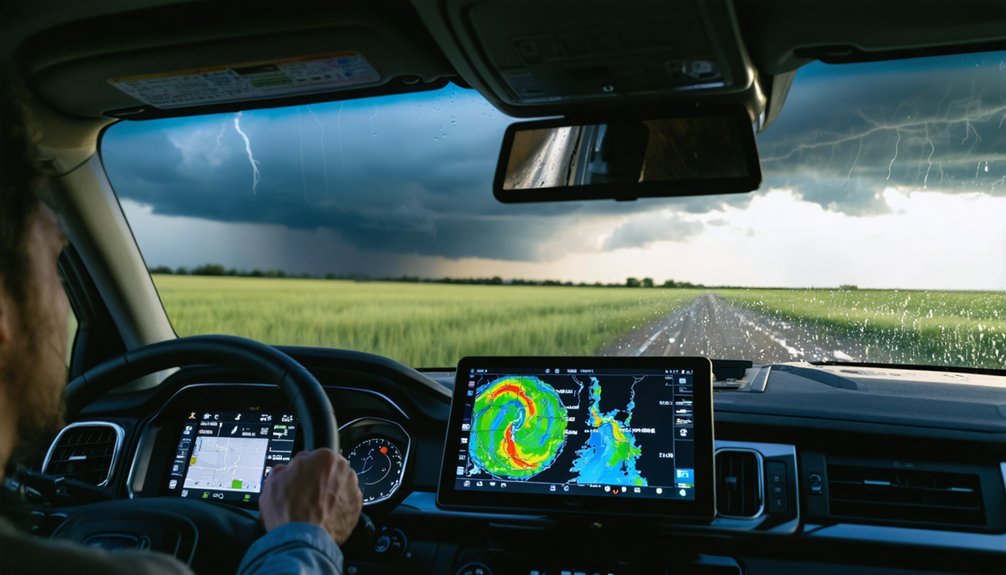
For efficient storm trajectory tracking, you’ll want a layered toolkit that covers live radar, multi-model forecasting, and official verified data. Start with Clime or Storm Radar for real-time positioning, add Windy for multi-model comparisons, and anchor decisions with NOAA, NHC, and NWS authoritative alerts. For professional-grade analysis, RadarScope, RadarOmega, and Gibson Ridge deliver unfiltered radar intelligence. Timing your tool activation strategically—from early formation through landfall—separates effective tracking from reactive guesswork, and each tool below earns its place in that sequence.
Key Takeaways
- Clime App consolidates live radar, satellite overlays, hurricane tracking, and push alerts into one streamlined platform, reducing decision lag significantly.
- RadarScope and RadarOmega provide storm chasers and meteorologists with Level 2 and Level 3 dual-polarization radar data for precise storm analysis.
- Windy supports multi-model comparisons across ECMWF, GFS, and ICON, with 50-plus map layers for comprehensive storm structure visualization.
- NOAA and NHC deliver authoritative real-time advisories, five-day outlook graphics, and verified track cone projections for credible storm trajectory guidance.
- Layering tools strategically by function—radar apps for live positioning, Windy for model comparison, and NWS alerts for hazard guidance—maximizes tracking efficiency.
Clime: Live Radar and Severe Weather Alerts in One App
Clime: NOAA Weather Radar Live consolidates several core storm-tracking functions into a single interface, giving you live radar imagery, weather maps, push alerts, hurricane tracking, and satellite overlays without switching between multiple tools.
Clime brings live radar, weather maps, push alerts, and satellite overlays together in one streamlined interface.
Clime features on the free tier include precipitation and temperature forecasts, severe-storm trackers, and customizable Clime alerts that notify you before conditions deteriorate.
If you need deeper capability, Clime Pro grants access to hurricane and lightning trackers, wildfire tracking, advanced precipitation forecasts, and a 14-day outlook.
This layered structure lets you start with essential tools and expand access based on your actual tracking needs.
For rapid storm positioning and short-term trajectory analysis, Clime’s combined radar and alerting architecture keeps critical data centralized, reducing the decision lag that comes from managing fragmented information across separate platforms.
NOAA and the National Hurricane Center for Verified Track Data
While third-party apps aggregate and repackage forecast data, NOAA and the National Hurricane Center (NHC) are the authoritative upstream sources that most storm-tracking tools ultimately pull from. When forecast accuracy and data credibility matter most, going directly to these sources eliminates unnecessary intermediaries.
NOAA data powers real-time updates across radar technology platforms, weather alerts, and storm prediction models globally. The NHC publishes official advisories, five-day outlook graphics, and verified track cone projections that define hurricane tracking standards industry-wide.
You can access nhc.noaa.gov directly for structured, timestamped forecast discussions that reveal the reasoning behind each track adjustment.
These products aren’t simplified for casual users—they’re built for decision-making under uncertainty, giving you unfiltered situational awareness that no repackaged app fully replicates.
National Weather Service Warnings: Your First Alert for Local Hazards
NWS warnings also reinforce community response plans by establishing shared situational awareness across households, agencies, and infrastructure operators.
Their hazard communication strategies prioritize actionable language over raw data, translating meteorological conditions into direct storm safety tips you can execute immediately—whether sheltering, evacuating, or securing property.
Storm Radar’s 6-Hour Future Radar for Near-Term Trajectory
Beyond receiving a hazard alert, you often need a near-term picture of exactly where a storm is heading and when it will arrive. Storm Radar fills that gap with a 6-hour future radar accuracy window, projecting storm movement across a short, actionable timeline.
Rather than guessing trajectory from a static snapshot, you’re watching near term predictions animate in real time, revealing precisely when precipitation reaches your location. That granularity lets you decide shelter timing, delay travel, or safely postpone outdoor activity without relying on broad forecast ranges.
Storm Radar’s future radar layer works most effectively when paired alongside live radar feeds and alert notifications. That combination gives you immediate storm position plus forward projection, compressing your decision window without sacrificing situational accuracy or spatial resolution.
AccuWeather’s Minute-by-Minute Forecast for Precise Storm Timing
When a storm is hours away, knowing the exact minute precipitation reaches your location separates informed decisions from reactive ones. AccuWeather’s minute-by-minute forecast gives you that precision, delivering a rolling timeline of storm tracking data broken into individual minutes rather than broad hourly windows.
You can pinpoint exactly when rain begins, peaks, and clears your position. That minute precision lets you schedule departures, secure property, and coordinate shelter timing without guessing. Instead of reacting when drops hit your windshield, you’re moving ahead of the storm on your own terms.
AccuWeather pulls localized atmospheric modeling into that timeline, so the output reflects your specific coordinates, not a generalized regional estimate.
Paired with live radar, it converts forecast probability into actionable, minute-level intelligence you can trust and act on immediately.
Windy’s 50+ Map Layers for Advanced Storm Tracking Visualization
When you open Windy, you gain access to more than 50 map layers—including radar, satellite, wind fields, and atmospheric pressure—giving you a multi-dimensional view of storm structure that single-layer apps can’t match.
You can toggle between forecast models like ECMWF, GFS, and ICON to compare trajectory predictions and identify where model agreement is strong or weak.
This model-comparison capability lets you assess forecast confidence directly, rather than relying on a single output that may underrepresent track uncertainty.
Exploring Windy’s Layer Options
Windy’s 50+ map layers make it one of the most versatile visualization platforms available for storm trajectory analysis. You can toggle between radar, satellite, wind, and precipitation overlays, enabling precise layer comparisons that sharpen your situational awareness.
Windy features interactive maps that support multiple forecast model integrations, letting you cross-reference GFS, ECMWF, and ICON outputs simultaneously. This approach strengthens data accuracy by exposing model agreement or divergence across projected track lines.
Advanced analytics become accessible through storm simulations that animate wind field behavior around developing systems. You can configure custom alerts tied to specific thresholds, reducing information overload.
Visualization techniques like opacity blending and side-by-side model views elevate your user experience beyond basic tracking. Forecast integrations across paid tiers extend radar loop archives, giving you deeper temporal context for trajectory decisions.
Multi-Model Forecast Comparisons
Comparing multiple forecast models simultaneously is where Windy’s layer system demonstrates its strongest analytical value. You can overlay GFS, ECMWF, and other global models side by side, making multi model analysis straightforward and efficient.
Each model generates distinct trajectory projections based on different atmospheric assumptions, and Windy lets you switch between them instantly. That flexibility reveals where forecast model integration produces strong agreement or highlights meaningful divergence between solutions.
When models converge on a track, your confidence in that projection increases. When they diverge, you know uncertainty is elevated and caution is warranted. You’re not guessing about model spread—you’re seeing it directly.
For anyone tracking a developing storm’s trajectory, this comparative capability transforms raw model output into actionable, spatially grounded decision-making intelligence.
Climavision Horizon AI for Hyper-Local Storm Impact Forecasts
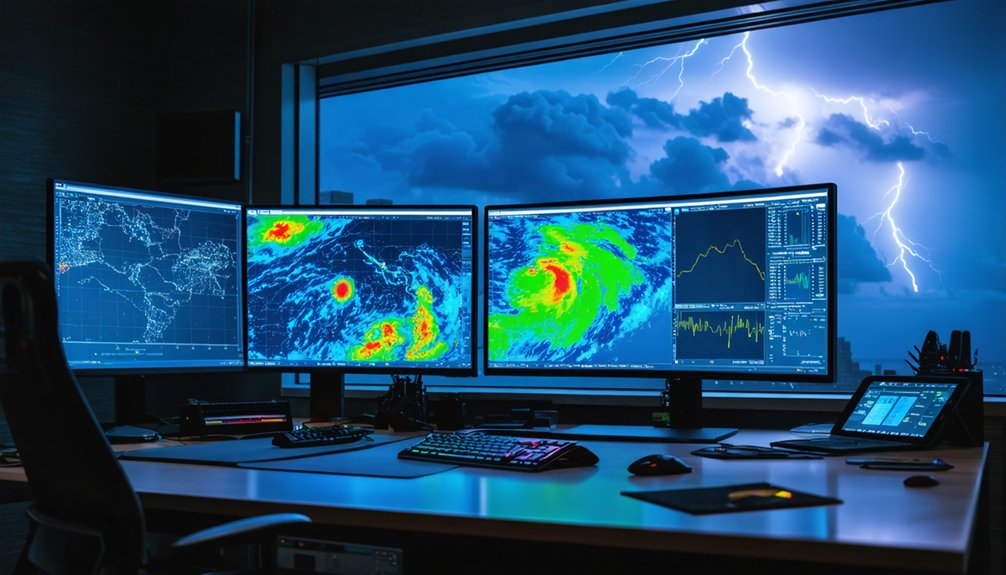
Climavision’s Horizon AI suite splits into two distinct products that serve different scales of storm analysis.
Horizon AI Global ingests over 1.5 billion daily observations, delivering global forecasts out to 15 days on an 8.5 km grid. That resolution supports broad trajectory mapping and early formation detection.
1.5 billion daily observations. 15-day global forecasts. 8.5 km resolution. Trajectory mapping and early formation detection at scale.
When you need tighter detail, Horizon AI HIRES shifts into hyper local forecasting mode, resolving down to 0.67 km for a 7-day window. That precision sharpens AI impact analysis considerably, letting you pinpoint landfall timing, rainfall corridors, and wind intensity at the neighborhood level.
Both tiers benefit from deep model integration, pulling diverse data streams into a unified output.
For storm prediction accuracy where localized impact matters most, Climavision gives you actionable intelligence that generic models simply can’t match.
RadarScope and RadarOmega: What the Pros Actually Use
Storm chasers and professional meteorologists consistently reach for RadarScope and RadarOmega when precision matters most. Both platforms give you access to detailed radar products, including Level 2 and Level 3 data, letting you inspect storm cells beyond what consumer apps deliver.
RadarScope features include dual-polarization radar, velocity data, storm-relative motion analysis, and 3D storm depictions on mobile and desktop. You’re not guessing at structure—you’re reading it directly from raw data.
RadarOmega usability stands out through its intuitive interface, which makes traversing complex radar products faster without sacrificing analytical depth.
These tools require one-time purchases or subscriptions, but that cost buys independence from watered-down data. If you need accurate, unfiltered storm intelligence to make critical trajectory calls, these are the platforms professionals trust.
Why Storm Chasers on Windows Still Use Gibson Ridge

When mobile-first platforms dominate headlines, Gibson Ridge software holds its ground as a Windows-based tool storm chasers continue to rely on for serious radar analysis.
If you’re pursuing advanced analysis on a desktop workstation, Gibson Ridge delivers radar features that mobile apps simply can’t replicate at the same depth. You’ll access higher-resolution products, detailed storm-cell inspection, and layered data views built specifically for professional tools workflows.
The active user community keeps development grounded in real operational needs, meaning updates reflect what chasers actually encounter in the field. Real time updates feed directly into your analysis pipeline, letting you respond to rapid storm evolution without switching platforms.
For Windows software users prioritizing precision over convenience, Gibson Ridge remains a deliberate, technically sound choice.
Which Storm Tracking Tools to Layer When a Storm Approaches
When a storm approaches, you don’t rely on a single tool — you stack them by function.
Use a radar app like Clime or Storm Radar for live positioning and short-term trajectory, layer in Windy for multi-model comparison and wind field context, and pull official NHC or NWS data for authoritative track and hazard guidance.
As the storm closes in, you shift emphasis from extended-model tools toward real-time radar and future-radar products, tightening your decision window with each tool change.
Layering Tools By Purpose
No single tool covers every tracking need, so layering them by purpose gives you the clearest, most complete picture as a storm approaches.
Effective layering strategies assign each tool a distinct role: Clime handles real-time updates and alert triggering, Storm Radar delivers short-window future-radar for immediate trajectory decisions, and Windy supports multi-model feature comparisons for broader structural analysis.
For hyper-local storm prediction, Climavision’s HIRES layer adds sub-kilometer data accuracy that general platforms can’t match. RadarScope satisfies user preferences requiring deeper radar inspection.
Interface usability matters when conditions deteriorate fast, so pre-configure your layers before a storm develops. Tool effectiveness depends entirely on how deliberately you combine them.
Matching each platform to a specific tracking function eliminates redundancy and keeps your decision-making precise under pressure.
Timing Your Tool Switching
Knowing which tool to activate at each storm phase is just as important as knowing which tools to use at all. Tool efficiency depends on timing changes correctly.
During early formation, prioritize AI platforms like Horizon AI for track modeling and data integration. As the storm organizes, switch to Windy for multi-model comparison and wind-field analysis.
When it closes within 48 hours, interface usability matters more—shift to Clime or Storm Radar for live radar and future-radar overlays. Alert prioritization becomes critical inside 24 hours; let NWS push notifications drive your decisions.
User adaptability and storm readiness require that you rehearse these switching strategies before conditions deteriorate. Waiting until landfall to learn a new tool eliminates any advantage the technology provides.
Frequently Asked Questions
Can Storm Tracking Tools Help Predict Tornadoes Before They Fully Form?
Yes—can technology outpace nature’s chaos? Advanced storm tracking tools use predictive technology to detect tornado formation signatures like rotation and wind shear, giving you critical early warnings before a tornado fully develops.
How Accurate Are Storm Trajectory Predictions Compared to Actual Storm Paths?
Storm path prediction accuracy improves as storms near landfall—you’ll find modern AI models like Horizon AI achieve 8.5 km resolution forecasts, but uncertainty cones still widen considerably beyond 72 hours, demanding your continuous monitoring.
Are Any Reliable Storm Tracking Tools Completely Free With No Paid Upgrades?
Yes, you’ll find free apps like Clime’s basic tier and Windy’s free plan let you access live radar and core weather models without requiring paid upgrades for reliable storm trajectory monitoring.
How Much Mobile Data Does Running Live Radar Apps Typically Consume?
Live radar can devour your data like a hungry storm itself! You’ll typically consume 20–50 MB per hour running live radar apps, though data consumption spikes dramatically during active storm sessions with frequent refresh rates.
Can Multiple Storm Tracking Apps Run Simultaneously Without Draining Device Battery?
You can run multiple storm tracking apps simultaneously, but you’ll strain battery life. Prioritize battery optimization by limiting background refresh, and monitor app performance to identify which apps consume the most power.
References
- https://teamrubiconusa.org/news-and-stories/best-hurricane-tracking-apps-and-tools/
- https://climeradar.com/blog/top-storm-tracking-apps-united-states
- https://www.linkedin.com/pulse/top-storm-tracking-apps-companies-how-compare-wmuoe
- https://www.reddit.com/r/stormchasing/comments/1cljsun/storm_tracking_software/
- https://nostressintl.com/2025/10/17/the-public-adjusters-guide-to-the-most-reliable-hurricane-tracker-tools-online/
- https://climavision.com/blog/how-are-hurricanes-tracked-tools-and-tips-for-superior-coverage/
- https://www.facebook.com/groups/SpringHillFlorida/posts/10161420738839242/
- https://weatherscientific.com/blogs/weather-scientific-blogs/top-5-weather-tools-to-monitor-hurricanes-from-home
- https://www.rainviewer.com/blog/tools-for-storm-catching.html
- https://www.wcnc.com/article/weather/weather-iq/tools-used-hurricane-forecasting/275-e16650b2-3ffb-49d9-8302-ca461bbe17d3