For storm chasing, your best options are RadarScope for raw NWS data processing, Clime for multi-hazard alert integration, and MyRadar for rapid situational awareness. Beginners should start with MyRadar‘s intuitive interface, while professionals need RadarScope‘s uncompressed data pipeline. Refresh rates of one-to-five minutes are non-negotiable when you’re in the field. Serious chasers typically run three or more apps simultaneously, and understanding exactly why that matters could sharpen your entire operational strategy.
Key Takeaways
- RadarScope is favored by professionals for processing raw NWS data locally, eliminating server lag and delivering superior radar accuracy.
- Clime integrates multi-hazard alerts, NWS polygons, and mobile-first mapping, making it ideal for comprehensive storm tracking operations.
- MyRadar and Weather Radar: Live Storm Map are recommended for beginners due to their intuitive interfaces and quick data delivery.
- RadarOmega offers advanced visualization tools for expert storm analysis, catering to serious chasers needing detailed atmospheric data.
- Experienced chasers typically combine three or more apps simultaneously, assigning specific roles to each for maximum situational awareness.
RadarScope, Clime, or MyRadar: Which Storm Chasing App Wins?
When it comes to storm chasing apps, RadarScope, Clime, and MyRadar each target a distinct user tier.
RadarScope delivers raw NWS data processed directly on your device, skipping server-side compression so you’re viewing radar as fast as forecasters do. That feature accessibility makes it the professional’s default.
Clime functions as your operational hub, integrating NWS polygons, multi-hazard alerts, and mobile-first mapping into one consolidated interface. It handles most tracking scenarios without requiring a secondary app.
MyRadar prioritizes speed, offering hi-definition radar and at-a-glance precipitation data suited for rapid situational awareness.
In a user experience comparison, RadarScope wins on raw data depth, Clime wins on multi-threat integration, and MyRadar wins on immediate usability.
Your ideal choice depends entirely on how deep into the data you need to go.
The Best Weather Radar Apps Ranked for Storm Chasers
Ranking weather radar apps for storm chasers requires weighing raw data access, update latency, and multi-hazard integration against your operational needs.
For radar accuracy comparisons, RadarScope leads by processing raw NWS data directly on your device, eliminating server-compression delays. Clime follows as your operational hub, integrating NWS polygons, multi-hazard alerts, and hurricane tracking.
MyRadar delivers rapid precipitation checks with professional-grade hurricane monitoring. Weather Radar: Live Storm Map updates every five minutes, offering precise global trajectory data.
RadarOmega fills the expert niche with advanced visualization tools serious chasers demand.
These storm tracking tips apply directly: don’t rely on a single app. Layer RadarScope’s raw data precision with Clime’s alert integration for maximum situational awareness.
Your freedom in the field depends on redundant, reliable data streams.
Free Storm Chasing Apps vs. Paid: Where the Real Difference Lies
Whether you’re downloading a free tier or paying for premium access, the gap between them isn’t cosmetic—it’s operational. Free features give you basic precipitation overlays and delayed alerts—functional, but limited.
Premium advantages reveal raw NWS data streams, real-time data reliability, and granular customization options like dual-pol radar products unavailable in free builds.
Performance metrics tell the story clearly. Paid apps like RadarScope process radar locally on your device, eliminating server lag. Free alternatives compress data into JPEG/GIF formats, sacrificing precision.
Device compatibility also shifts—premium tiers optimize across hardware configurations, improving user experience under field conditions.
App updates arrive faster for paid subscribers, often preceding public rollouts. Community feedback from storm chasing forums consistently reinforces this divide.
The learning curve steepens with premium tools, but the operational control you gain is non-negotiable for serious chasers.
Beginner, Enthusiast, or Pro: Matching Radar Apps to Your Skill Level
Your skill level determines which radar app delivers the most value without overwhelming you with features you won’t use.
Beginners benefit most from MyRadar or Clime, which offer intuitive interfaces with NOAA alerts and precipitation overlays requiring minimal technical knowledge.
As you advance toward enthusiast or professional chasing, RadarScope’s raw NWS data and RadarOmega’s high-end visualization tools match your growing need for precise, unprocessed radar interrogation.
Skill Level App Guide
Choosing the right weather radar app depends on your experience level and how you intend to use it. App user feedback and radar app comparisons consistently reveal three distinct user tiers.
Beginners benefit most from MyRadar or Weather Radar: Live Storm Map — both deliver fast, intuitive precipitation data without steep learning curves.
Enthusiasts should explore Clime, which integrates NWS alerts, multi-hazard tracking, and high-resolution radar into one mobile-first platform, reducing your dependency on multiple tools.
Professionals and storm chasers need RadarScope or RadarOmega. RadarScope processes raw NWS data directly on your device, matching forecaster-grade speed.
RadarOmega extends that capability with advanced visualization tools built for expert storm analysis.
Match your app to your skill level, and you’ll extract maximum situational awareness when it matters most.
Choosing Your Storm App
How you match a radar app to your skill level determines whether you’re getting actionable data or just noise. Evaluate each option against your operational needs before committing.
- Beginners: Prioritize app usability and clean user interface—MyRadar and Clime deliver fast storm tracking without cognitive overload.
- Enthusiasts: Demand stronger weather overlays, granular notification settings, and flexible map preferences—Clime bridges casual and advanced use effectively.
- Professionals: Require raw data pipelines, feature comparison depth, and uncompromised data accuracy—RadarScope and RadarOmega are non-negotiable.
- Device compatibility: Confirm your hardware handles high-resolution radar rendering without lag.
- Community feedback: Reddit and Facebook storm chasing groups consistently validate which apps perform under real conditions.
Cross-reference community feedback with direct feature comparison before your final decision.
The Radar Features That Actually Matter When Chasing Storms
When you’re chasing storms, three radar features separate useful apps from dangerous ones: real-time data speed, raw versus processed radar output, and multi-hazard alert integration.
Apps like RadarScope pull raw NWS data directly to your device, bypassing server-side JPEG compression that delays critical updates by seconds or minutes.
You’ll also want alert layers that flag tornadoes, flash floods, and severe thunderstorms simultaneously, since hazards rarely travel alone.
Real-Time Data Speed
Real-time data speed isn’t just a convenience feature—it’s the difference between a safe intercept and a dangerous one.
When you’re positioning ahead of a supercell, stale radar data can cost you everything. RadarScope pulls raw NWS data directly, matching what forecasters see in real time. That’s non-negotiable for serious chasers who prioritize real-time accuracy and data reliability.
Key speed factors to evaluate:
- Refresh rate — updates every 1–5 minutes matter considerably
- Raw vs. processed data — raw feeds eliminate server-delay bottlenecks
- Tilt availability — faster multi-tilt scans reveal rapid storm evolution
- Network dependency — offline caching keeps you operational in dead zones
- Latency transparency — apps should display timestamp visibility clearly
Choose apps that prioritize speed architecture over flashy interfaces.
Raw Versus Processed Radar
Raw radar data and processed radar data aren’t interchangeable—and that distinction directly affects your situational awareness in the field.
Apps like RadarScope pull directly from NWS feeds, delivering uncompressed data to your device without server-side manipulation. That’s the core of raw radar advantages: you’re seeing what forecasters see, with no interpolation artifacts or compression degrading the signal.
Processed radar limitations become critical when seconds matter. JPEG and GIF pipelines introduce latency and visual noise, stripping out subtle rotation signatures or hail indicators you need for accurate storm analysis.
You lose granularity exactly when precision matters most.
If you’re serious about chasing, choose apps that prioritize raw data pipelines. Processed imagery works for casual checks—it won’t cut it when you’re interrogating a supercell’s mesocyclone structure at close range.
Multi-Hazard Alert Integration
Sharp radar data only gets you so far—once you’ve locked onto a supercell’s structure, you need real-time NWS polygons and multi-hazard alerts feeding into the same interface.
Clime’s alert integration layers tornado warnings, flash flood polygons, and severe thunderstorm boundaries directly onto its radar display.
Key multi-hazard alerts to monitor simultaneously:
- Tornado warnings with confirmed rotation tags
- Flash flood emergencies tied to specific drainage basins
- Severe thunderstorm warnings flagging large hail or damaging winds
- Special weather statements covering mesoscale convective events
- Fire weather watches when chasing in drought-compromised terrain
Without unified alert integration, you’re toggling between apps and losing critical seconds.
Clime and RadarScope both pull raw NWS data, keeping your situational awareness consolidated and your decision-making sharp when conditions deteriorate fast.
Why Serious Storm Chasers Run Multiple Weather Radar Apps at Once
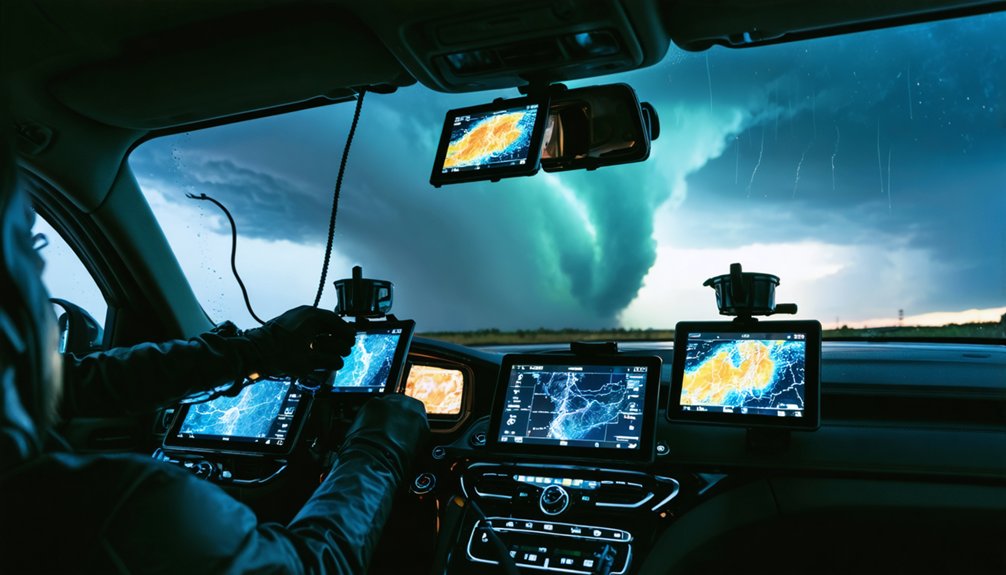
When you’re serious about storm chasing, no single app covers every data layer you need. RadarScope delivers raw NWS radar data with unmatched app performance and data accuracy, while Clime handles multi-hazard alert integration and storm tracking across multiple threat types.
RadarOmega fills gaps with advanced visualization tools that neither competitor matches. Your user preferences and interface usability requirements determine which combination works best.
RadarOmega bridges critical gaps with advanced visualization tools no competitor matches — your preferences shape the ideal combination.
Community feedback across Reddit and Facebook groups consistently confirms that chasers run three or more apps simultaneously, each selected through careful feature comparison. App compatibility across your devices matters too, since you can’t afford crashes mid-chase.
Stack your toolkit deliberately. Assign each app a specific role, cross-reference outputs, and trust no single data source when severe conditions demand precision.
Frequently Asked Questions
Can Weather Radar Apps Work Reliably Without a Strong Cellular Connection?
You’re skating on thin ice with cellular limitations in remote areas. Apps like RadarScope require strong signals for real-time data accuracy, so you’ll experience delays, degraded updates, or complete data loss without reliable connectivity.
How Often Do Storm Chasing Apps Update Their Radar Data Feeds?
You’ll get real-time updates every five minutes with most apps, though RadarScope delivers raw NWS data instantly, matching forecaster speeds. This frequency guarantees data accuracy, keeping you ahead of rapidly evolving storm systems during chases.
Are Weather Radar Apps Accurate Enough to Replace Professional Meteorology Equipment?
Sure, ditch the Doppler tower—your phone’s *totally* a meteorological station! Jokes aside, weather radar apps can’t replace professional equipment. You’ll find app reliability strong, but data interpretation demands expert training and hardware precision you simply don’t have.
Do Storm Chasing Apps Drain Smartphone Batteries Faster Than Normal?
Yes, storm chasing apps drain your battery faster due to continuous GPS, live radar updates, and data streaming. Optimize smartphone performance with battery optimization tips like lowering screen brightness and enabling power-saving mode.
Which Weather Radar Apps Offer Offline Mode for Remote Chasing Locations?
None of the featured apps—RadarScope, Clime, or MyRadar—fully support offline functionality, as they’re dependent on live data streams. For remote accessibility, you’ll want to pre-cache maps via Windy.app before venturing into connectivity-dead chasing zones.
References
- https://climeradar.com/blog/best-weather-app-for-storm-chasers
- https://myradar.com
- https://play.google.com/store/apps/details?id=weatherradar.livemaps.free&hl=en_US
- https://www.stormtours.com/radarscope-weather-radar-app/
- https://www.reddit.com/r/stormchasing/comments/1qa9hh6/what_radar_app_do_storm_chasers_usually_use/
- https://www.facebook.com/groups/6926972223/posts/10162109950822224/
- https://www.radaromega.com
- https://stormcenter.app
- https://www.youtube.com/watch?v=HCxFY1xiJC4
- https://www.tiktok.com/@edgarthestormchaser/video/6970047346059021573