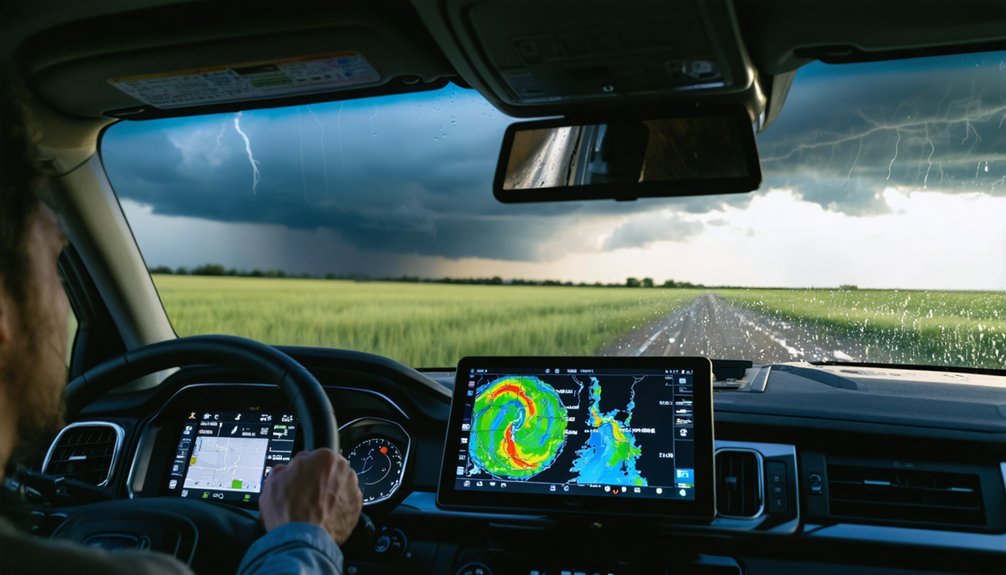
To track storms with confidence, you need more than a single radar snapshot. Use a 30–90 minute loop to identify consistent storm motion, and watch for high reflectivity values (50+ dBZ), hook echoes, and velocity couplets that signal rotation. Project the storm’s path 30–60 minutes ahead based on confirmed directional trends, not erratic shifts. If the core’s closing within 30 minutes, move immediately. There’s far more to mastering each of these techniques.
Key Takeaways
- Analyze radar loops over 30–90 minutes rather than single frames to accurately track storm movement and project future paths.
- High reflectivity values above 50 dBZ indicate heavy rain, hail, or intense convection requiring immediate attention.
- Hook echo patterns and inbound/outbound velocity couplets on radar confirm potential mesocyclone development and dangerous rotation.
- Free tools like NOAA radar, Windy.com, and RainViewer support loop playback to reveal consistent storm direction.
- Move immediately if a storm core trends toward your location and closes within 30 minutes.
Why a Single Radar Frame Can Get You Killed
When you glance at a single radar frame, you’re seeing a snapshot frozen in time — typically a scan completed within the last few minutes — with no indication of where the storm was two scans ago or where it’s heading next.
That’s a critical radar limitation that kills situational awareness. Storm dynamics shift fast, and without real time analysis across a 30–90 minute loop, you can’t establish directional trends or assess storm intensity changes.
Safety protocols and emergency preparedness both demand more than a static image. Effective tracking methods require successive frames to distinguish consistent motion from erratic shifts.
Predictive modeling and human judgment depend on that movement history. One frame tells you where the storm is — not where it’ll be when it reaches you.
Read a Storm Radar Loop Like a Pro
Knowing a single radar frame leaves you blind to storm motion. The next step is using a radar loop correctly to extract actionable directional data.
Set your loop to cover the last 30–90 minutes, then lock your eyes on the brightest core, not the outer precipitation edges. That core tracks storm intensity most accurately.
Watch how the core moves frame by frame against a fixed landmark, town, or GPS coordinate. Once you’ve identified consistent motion, project that path forward 30–60 minutes mentally. Erratic, single-frame shifts mean nothing; steady, repeated movement patterns are what matter for reliable tracking techniques.
Combine what you observe with Doppler velocity data to confirm directional trends. You’re now reading motion, not just snapshots, giving yourself real decision-making power before conditions deteriorate.
The Best Free Tools for Real-Time Storm Tracking
Once you’ve learned to read a radar loop, you’ll want reliable platforms to access that data fast.
For radar, NOAA’s official radar maps and Windy.com give you free, real-time precipitation and wind layers you can monitor continuously.
For satellite coverage, NASA Worldview and EUMETSAT imagery let you track broader storm organization and cloud-top temperatures across large geographic areas.
Top Free Radar Platforms
Several free platforms give you direct access to live radar data, each with distinct strengths for real-time storm tracking. NOAA’s radar viewer delivers raw reflectivity and Doppler velocity layers without cost, maximizing free radar features for serious users.
RainViewer offers smooth looping animations across global coverage, improving radar usability on both desktop and mobile. Windy.com layers precipitation data over wind fields, letting you cross-reference storm motion with atmospheric flow simultaneously.
Weather Underground’s radar pulls from a dense personal weather station network, adding hyperlocal context. Each platform supports loop playback, which is essential since single frames won’t reveal storm direction.
You’ll get the most accurate short-term tracking by running loops across 30–60 minutes and monitoring the strongest echo cores consistently across frames.
Satellite Tools Worth Exploring
While radar excels at showing precipitation structure, satellite tools give you a broader view of storm organization, cloud-top temperatures, and large-scale system evolution.
Geostationary satellites like GOES deliver continuous storm detection by capturing rapid changes in cloud formation and storm evolution without interruption.
NASA Worldview lets you access real-time satellite imagery across multiple spectral layers, supporting detailed atmospheric analysis of developing systems. You can examine infrared temperatures at cloud tops to gauge convective intensity — colder tops typically signal stronger updrafts and higher storm organization.
For deeper analysis, passive microwave data estimates Ice Water Path within storm cores, revealing internal structure invisible to standard visible or infrared channels.
Combining these satellite sources with radar gives you a more complete, independent picture of any threatening system.
Satellite vs. Radar: Choosing the Right Tool for Each Situation
When you need precipitation detail, reach for radar — it gives you real-time reflectivity and Doppler velocity data that pinpoint storm intensity and structure.
If you’re evaluating a storm system’s broader organization or watching rapid cloud-top development across a wide region, satellite imagery from platforms like GOES is your stronger option.
You’ll get the most accurate situational picture by switching between both tools, since each one captures different layers of storm behavior that the other can miss.
Radar for Precipitation Detail
Radar gives you a level of precipitation detail that satellite imagery simply can’t match at the local scale. Doppler radar captures real-time reflectivity data, letting you analyze precipitation patterns with spatial precision down to individual storm cells. You can distinguish rain intensity, track core movement, and identify rotation signatures using velocity scans.
That’s operational clarity satellite simply doesn’t provide at this resolution.
However, you need to respect radar limitations. A single frame shows only a snapshot—loop the last 30–90 minutes to extract meaningful motion trends. Radar also struggles with ground clutter, beam overshooting at distance, and gaps in low-level coverage.
Cross-reference with official alerts to compensate for these blind spots. Used correctly, radar remains your sharpest short-range tool for precipitation analysis.
Satellite for Broad Coverage
Radar’s precision narrows your view to local storm cells, but satellite imagery fills the gap when you need to see the full picture.
When you’re conducting storm analysis across a wide geographic area, geostationary platforms like GOES deliver continuous, high-resolution data on cloud organization, storm structure, and intensity shifts.
You’re not limited to a single county—you’re watching entire regional systems evolve in real time.
Satellite imagery excels at revealing upper-level cloud patterns and rapid intensification signals that local radar might miss.
However, it won’t show you low-level precipitation or wind detail with the same clarity.
Use satellite for broad situational awareness, then switch to radar when you need ground-truth intensity and precise storm positioning.
Both tools together give you the clearest operational picture.
Use Motion Trends to Project a Storm’s Path 30–60 Minutes Out
Once a storm’s motion holds steady across several radar frames, you can project its near-term path by drawing a mental line through its tracked core position and extending it 30–60 minutes forward. This motion estimation technique relies on consistent storm behavior across successive scans, typically covering the last 30–90 minutes of movement.
Anchor your projection against fixed landmarks or GPS coordinates to judge whether the storm’s trajectory is closing in on your position or diverging from it. Track the brightest reflectivity core, not the outer precipitation edges, since the core more accurately represents the storm’s true movement vector.
Erratic frame-to-frame shifts are less reliable than sustained directional trends, so weight your projection toward confirmed, repeating motion patterns before making any safety decisions.
What Reflectivity and Doppler Velocity Reveal About Storm Strength
Projecting a storm’s path tells you where it’s going, but reflectivity and Doppler velocity tell you what you’re dealing with when it arrives. Reflectivity interpretation measures returned energy, indicating precipitation intensity.
Velocity analysis reveals internal wind motion, exposing rotation you can’t see otherwise.
Key readings to monitor:
- High reflectivity values (50+ dBZ) signal heavy rain, hail, or intense convection
- Tight velocity gradients indicate strong wind shear, a rotation warning sign
- Hook echo patterns on reflectivity suggest possible mesocyclone development
- Inbound/outbound velocity couplets confirm rotation when paired colors appear adjacent
- Rapidly increasing reflectivity cores suggest intensification, demanding immediate attention
Together, these two tools give you independent, data-driven insight into storm strength—letting you make informed decisions rather than guessing what’s bearing down on your position.
How Far Ahead You Can Reliably Track a Storm
Beyond that window, storm tracking becomes less certain. Atmospheric inputs shift, and numerical models carry increasing uncertainty the further out you forecast.
Nowcasting—radar-based, near-term prediction—outperforms model guidance when motion is stable, but erratic frame-to-frame shifts erode that reliability quickly.
Treat any projection past 60 minutes as a general estimate, not a precise forecast. Prioritize official weather alerts for safety decisions.
Why Radar Beats Models for Last-Minute Storm Decisions
When seconds matter, radar gives you ground truth that models simply can’t match. Models simulate storm dynamics using atmospheric inputs that shift constantly, making their tracking accuracy degrade fast as conditions evolve.
Radar delivers real-time updates directly from precipitation returns, giving you actionable storm behavior data right now.
Key radar advantages over models for last-minute decision making strategies:
- Radar refreshes every 2–6 minutes, outpacing model update cycles
- Reflectivity shows current storm intensity without forecast assumptions
- Doppler velocity supports radar interpretation of rotation and wind structure
- Model limitations compound over time; radar stays grounded in observed reality
- Nowcasting with steady storm motion beats model projections inside 60 minutes
When you’re making final safety calls, trust what radar is showing you, not what a model predicted hours ago.
Turn Storm Tracking Data Into a Real Safety Decision

Turning radar and satellite data into a real safety decision means combining what you’re seeing right now with a short projection of where the storm’s headed. Track the strongest echoes across a 30–60 minute loop, project that motion forward, and compare it against your position. That’s functional storm prediction.
Once you’ve identified a consistent movement pattern, your safety strategies become actionable. If the core is trending toward your location and closing within 30 minutes, you move—immediately. If the track is steady but angled away, you monitor and hold.
Don’t wait for a single dramatic frame; consistent motion across multiple scans is your signal. Cross-reference official alerts with your radar read. When both align, that convergence is your clearest trigger for a decisive, autonomous safety call.
Frequently Asked Questions
What Overlap Threshold Do Automated Systems Use to Match Storms Across Scans?
In storm tracking, automated systems use a 0.6 overlap threshold to match storms across scans. If areal overlap scoring doesn’t exceed that, they’ll fall back on centroid matching to maintain your track continuity.
How Do Tracking Algorithms Identify Storms When Areal Overlap Is Insufficient?
When areal overlap’s insufficient, you’ll find tracking algorithms switch to centroid matching for storm detection. This method’s a key workaround for algorithm limitations, pairing storm cores across successive scans by calculating and comparing their geometric center positions.
Which Geostationary Satellites Are Commonly Used for Continuous Storm Monitoring?
You’ll rely on GOES satellites as your primary continuous storm monitoring tool. These geostationary satellite orbits support uninterrupted data sources, letting you track rapid storm evolution with precision across broad atmospheric regions without interruption.
How Does Ice Water Path Improve Satellite-Based Storm Detection Methods?
Like Sherlock’s magnifying glass revealing hidden clues, Ice Water Path sharpens your storm detection by merging ice water absorption data with satellite calibration, letting you combine geostationary infrared temperatures with passive microwave IWP estimates to pinpoint intense storms accurately.
Can Machine Learning Improve Automated Storm Delineation and Track Detection Accuracy?
Yes, machine learning can sharpen automated storm delineation and track detection accuracy. You’ll find it enhances storm prediction by optimizing data assimilation, letting algorithms identify patterns across radar scans faster and more precisely than traditional threshold-based methods allow.
References
- https://climeradar.com/blog/how-to-monitor-storm-paths-using-radar
- https://crazystormchasers.com/tracking-storm-paths-with-satellite-imagery/
- https://vandenheever.atmos.colostate.edu/vdhpage/papers/Leganes-etal-ESS-2026.pdf
- https://www.studysmarter.co.uk/explanations/geography/meteorology-and-environment/storm-tracks/
- https://ntrs.nasa.gov/citations/19980236610
- https://online.utpb.edu/about-us/articles/gis-geospatial/how-to-track-a-hurricane-gis-and-storm-tracking
- https://www.rainviewer.com/blog/tools-for-storm-catching.html
- https://www.youtube.com/watch?v=Y_g6bwSi_tw
- https://www.mdpi.com/2073-4441/16/20/2905
- https://www.vaia.com/en-us/explanations/geography/meteorology-and-environment/storm-tracking/