For storm forecasting and chasing, your best weather model apps in 2025 include Windy.com for interactive wind visualization, AccuWeather for hyperlocal radar overlays, Pivotal Weather for NWS hazard tracking, and The Weather Channel App for live severe weather alerts. Free tools can match or outperform paid alternatives when stacked strategically. Cross-referencing multiple platforms eliminates blind spots and sharpens your situational awareness. The right combination of apps can define your safety margin before you ever leave the driveway.
Key Takeaways
- Windy.com excels at interactive wind visualization and hyperlocal forecasts, making it essential for storm chasers needing precise mapping tools.
- Pivotal Weather consolidates NWS hazards and severe thunderstorm outlooks, ideal for data analysts requiring comprehensive situational awareness.
- The Weather Channel App delivers live storm alerts and future radar projections, keeping chasers informed of developing threats.
- Stacking multiple free apps like Windy.com, Pivotal Weather, and NWS Mobile can outperform expensive paid alternatives.
- Cross-referencing data across multiple platforms eliminates blind spots and improves decision-making accuracy during active storm chasing.
What Makes a Weather App Good for Storm Chasing?
When choosing a weather app for storm chasing, you need tools that go beyond basic forecasts. Data accuracy isn’t optional—it’s your margin of safety in the field.
You’re making split-second decisions based on radar overlays, severe thunderstorm outlooks, and hyper-local precipitation tracking, so every data point must be reliable and current.
User interface design matters just as much. A cluttered, slow interface costs you precious time when conditions shift rapidly. You need intuitive navigation, real-time alerts, and interactive maps you can read at a glance.
The best storm chasing apps combine professional-grade forecasting tools with clean, responsive design. They deliver National Weather Service hazard data, future radar projections, and climate outlooks—giving you the situational awareness to pursue storms safely and confidently.
Must-Have Radar, Wind, and Alert Features for Chasers
For storm chasers, three core features separate a useful app from a dangerous one: real-time radar overlays, interactive wind visualization, and live severe weather alerts.
Without these, you’re operating blind in conditions that demand split-second decisions.
Real-time radar overlays let you track storm cell movement and rotation as it happens.
Real-time radar overlays keep you locked onto storm cell movement and rotation the moment it unfolds.
Apps like AcuWeather deliver radar overlays with hyperlocal precision, giving you accurate positioning relative to developing systems.
Interactive wind maps, best demonstrated by Windy.com, let you visualize atmospheric flow across multiple pressure levels—critical for anticipating storm trajectory.
For storm tracking and real-time alerts, The Weather Channel app pushes live severe notifications directly to your device, ensuring you’re never caught off guard.
Together, these three features form your non-negotiable baseline toolkit.
Best Weather Model Apps for Storm Forecasting in 2025
When choosing the best weather model app for storm forecasting in 2025, you’ll want to evaluate each option based on the specific features it offers for chasing conditions.
Windy.com leads the pack with interactive wind and storm visualization maps, while AcuWeather delivers precise radar overlays and hyperlocal predictions that give you a competitive edge in the field.
Whether you prioritize real-time alerts, future radar projections, or professional-grade tools, selecting the right app can sharpen your situational awareness and keep you ahead of developing storms.
Top Forecasting Apps 2025
Six standout apps dominate storm forecasting in 2025, each offering distinct capabilities that’ll sharpen your operational awareness.
Windy.com leads Android platforms with interactive wind and storm visualization maps, delivering hyper-local forecast accuracy through professional-grade tools. AcuWeather follows closely, providing radar overlays and hyperlocal predictions critical for active pursuits.
The Weather Channel App equips you with future radar projections and live severe weather alerts, keeping you ahead of developing threats.
Pivotal Weather consolidates NWS hazards, temperature extremes, and severe thunderstorm outlooks into a clean user interface. Weathernerds targets dedicated enthusiasts needing deep storm analysis tools.
The NWS Mobile App delivers direct weather.gov forecast pages across iOS and Android platforms.
Each platform serves a specific operational need—match your workflow to the right tool and you’ll maintain maximum situational control.
Storm Chasing App Features
Storm chasing demands real-time situational awareness, and the right app features separate effective operators from unprepared ones. You need storm tracking tools that deliver radar accuracy without latency, ensuring you’re reading current conditions, not outdated data.
Weather alerts must push instantly to your device, giving you critical decision windows before situations escalate.
Prioritize apps offering interactive maps with wind visualization and precipitation overlays—Windy.com excels here. Mobile accessibility matters when you’re operating in remote terrain, so your chosen platform must perform reliably under field conditions.
A clean user interface reduces cognitive load during high-pressure moments.
Data reliability isn’t negotiable—cross-reference community insights from platforms like Weathernerds against NWS outputs for validated situational intelligence.
Apps combining these capabilities give you genuine operational freedom in dynamic chase environments.
Choosing Your Weather App
Knowing which features matter gets you halfway there—now you need to match those requirements to the right platform. Evaluate each app’s user interface design carefully—cluttered layouts slow your decision-making when conditions deteriorate fast.
Windy.com leads Android options in 2025, delivering interactive wind maps and hyper-local precision. AccuWeather follows with strong radar overlays and storm forecasting depth. The Weather Channel app handles severe alerts reliably, while Pivotal Weather gives you hazard maps and climate outlooks for extended planning.
Don’t skip user feedback—community ratings reveal real-world performance that spec sheets hide. Cross-reference reviews against your specific use case, whether that’s local spotting or cross-country chasing.
Install two or three candidates, run them simultaneously during active weather, then cut the ones that underdeliver. Your conditions demand the right tool.
Top Radar and Wind Tools for Storm Chasers
Whether you’re tracking a supercell or monitoring rapid wind shifts, having the right radar and wind tools can make the difference between a successful chase and a dangerous miscalculation.
These apps deliver the radar accuracy and wind visualization you need in the field.
- Windy.com – Interactive maps provide real-time wind visualization and hyper-local forecasts, making it the top-ranked Android weather app in 2025.
- AccuWeather Weather Radar – Offers radar overlays with hyperlocal predictions, ranking second for storm forecasting on Android.
- The Weather Channel App – Delivers future radar projections and live severe weather alerts, keeping you prepared during active chasing conditions.
Each tool serves a distinct purpose, so use them together for maximum situational awareness during high-stakes pursuits.
Free vs. Paid Storm Chasing Apps: Which Is Worth It?
How much should you spend on a storm chasing app? Honestly, less than you think. Free app benefits are substantial — Windy.com, Pivotal Weather, and the NWS Mobile App deliver professional-grade radar, hazard maps, and hyper-local forecasts without charging you anything.
Free storm chasing apps like Windy.com and Pivotal Weather deliver professional-grade radar and forecasts without costing you a dime.
You’re getting legitimate storm-tracking capability at zero cost.
Paid app drawbacks often outweigh the upgrades. Premium tiers frequently lock features behind subscriptions that duplicate what free platforms already provide.
You’ll encounter ads replaced by paywalls, marginal accuracy improvements, and unnecessary interface bloat.
Your smartest move is stacking complementary free tools — Windy.com for wind visualization, Pivotal Weather for hazard tracking, and Weather Channel for severe alerts.
That combination outperforms most paid alternatives while keeping your resources available for actual chasing.
How Storm Chasers Layer Apps for Maximum Accuracy
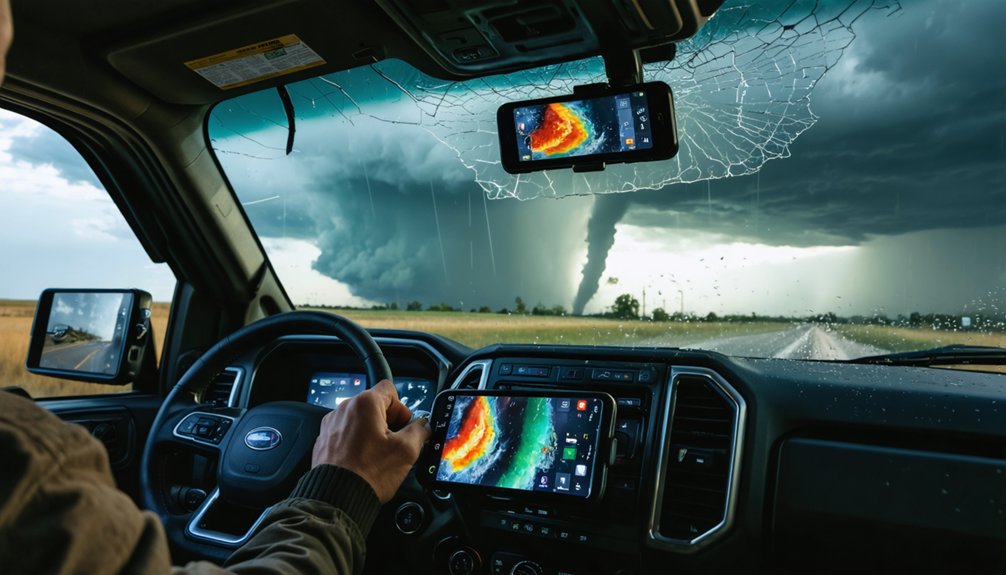
Stacking apps strategically separates effective storm chasers from those flying blind. App integration strategies determine whether you’re reacting or anticipating. Layer your tools deliberately to maximize real time data accuracy.
- Base layer: Use Windy.com for interactive wind and storm visualization, giving you hyperlocal forecast precision before you deploy.
- Hazard layer: Run Pivotal Weather simultaneously to monitor NWS current hazards, severe thunderstorm outlooks, and accumulated precipitation tracking.
- Alert layer: Keep The Weather Channel App active for live storm alerts and future radar projections during active pursuits.
Each app fills a specific intelligence gap the others leave open. You’re not duplicating effort — you’re building redundancy that protects your decisions.
Cross-referencing these platforms eliminates blind spots and keeps you operationally ahead of developing storm systems.
Which Storm Chasing App Fits Your Chasing Style?
Your chasing style determines which app delivers the most actionable data when conditions develop fast.
If you’re a visual chaser who needs interactive wind and storm mapping, Windy.com’s hyper-local forecasts and professional-grade tools give you a decisive edge, while AcuWeather’s radar overlays suit chasers who prioritize real-time positioning accuracy.
Match each app’s core feature set against your specific operational needs—whether that’s severe thunderstorm outlooks from Pivotal Weather, live storm alerts from The Weather Channel, or NWS hazard data—so you’re never relying on the wrong tool in the field.
Chasing Style Compatibility
Whether you chase tornadoes across the plains or track mesoscale convective systems from a mobile command setup, the app you rely on needs to match your operational tempo.
Storm chasing demands app compatibility that aligns with your specific field conditions and decision-making speed.
- Interceptors benefit from Windy.com’s hyper-local forecasts and interactive wind maps for rapid repositioning.
- Data analysts running mobile command ops gain precision from Pivotal Weather’s hazard overlays and severe thunderstorm outlooks.
- Documentary chasers needing real-time alerts and future radar projections should deploy The Weather Channel App immediately.
Don’t force a mismatch between your style and your tools.
Identify your operational priorities, then select the platform engineered to meet them under pressure.
App Feature Matching
Matching your chasing style to the right app requires more than checking a feature list—it demands understanding how each platform performs under field conditions.
App usability determines whether you’re maneuvering smoothly at 70 mph or fumbling through cluttered menus during a rapidly evolving supercell. Data accuracy separates life-critical decisions from costly misreads.
If you’re a visual analyst, Windy.com’s interactive maps deliver professional-grade precision. Pursuing hyperlocal targeting? AccuWeather’s radar overlays sharpen your positioning.
Need hazard awareness at a glance? Pivotal Weather consolidates NWS alerts efficiently. Chasing severe thunderstorms with notification dependency? The Weather Channel App keeps you ahead of developing threats.
You’re not choosing convenience—you’re choosing operational reliability. Match each app’s core strength to your specific field demands, and you’ll chase smarter every time.
Frequently Asked Questions
Can Storm Chasing Apps Work Offline in Areas With No Cell Service?
Most storm chasing apps require cell service for live data, but you’ll retain GPS accuracy offline. Check each app’s offline functionality before heading into remote areas where connectivity’s unreliable during active chases.
Are Weather Model Apps Legal to Use While Driving During Chases?
Like a navigator charting seas, you’re free to use weather model apps while chasing, but legal considerations and safety guidelines demand you never operate them yourself while driving — always designate a co-pilot.
How Much Mobile Data Do Storm Chasing Apps Typically Consume?
You’ll consume 50–200MB per hour with radar-heavy apps. Prioritize data optimization by performing an app comparison—Windy.com and NWS use less data, while Weather Channel’s live alerts and future radar projections demand considerably more bandwidth.
Do Storm Chasing Apps Drain Smartphone Batteries Faster Than Normal?
Who wouldn’t expect battery drain? Yes, storm chasing apps absolutely drain your battery faster. You’ll want to apply battery optimization techniques and run an app performance comparison to identify which apps, like Windy.com or AccuWeather, consume your power most aggressively.
Can Beginners Use Professional Storm Forecasting Apps Without Meteorology Training?
Yes, you can use professional storm forecasting apps without meteorology training. Apps like Windy.com and The Weather Channel feature user-friendly interfaces that highlight essential features, letting you interpret radar, severe alerts, and forecasts confidently and independently.
References
- https://www.weather.gov/ilm/mobile
- https://home.pivotalweather.com
- https://www.weathernerds.org
- https://play.google.com/store/apps/details?id=com.weather.Weather&hl=en_US
- https://www.youtube.com/watch?v=0aWGsokj3qc