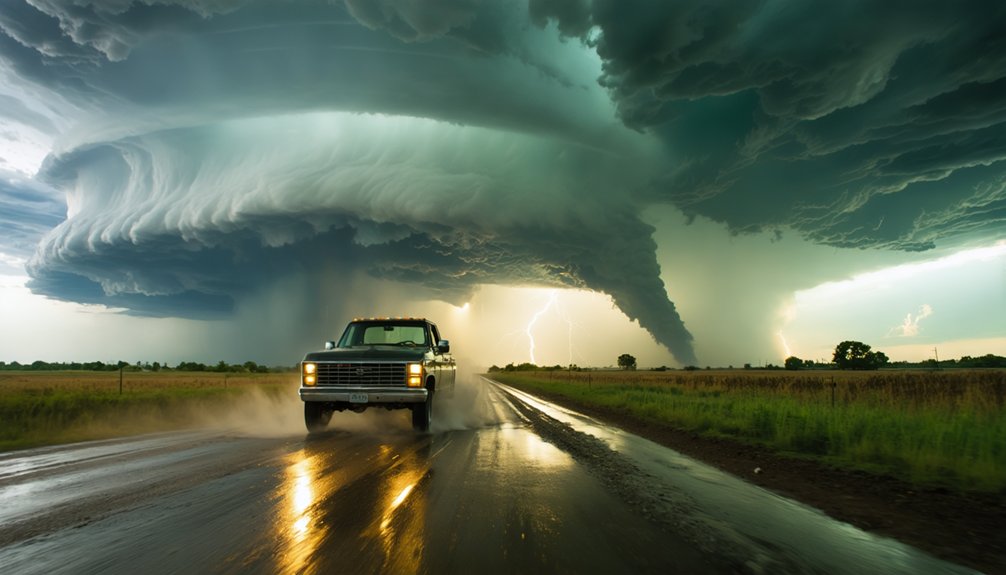
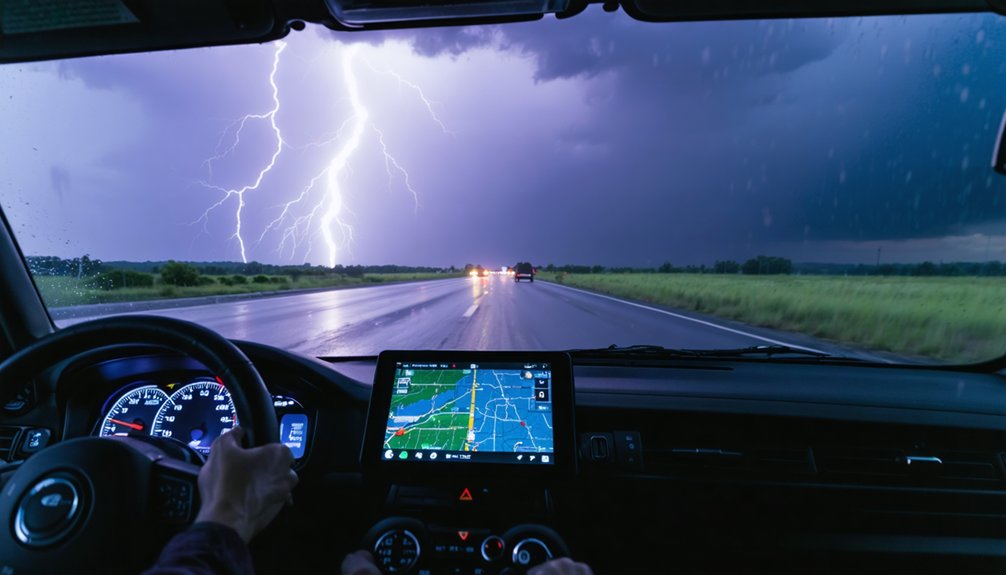
To play storm chasing games in VR, you’ll need a compatible headset like Meta Quest or a PC VR setup, then choose a title that matches your style — whether that’s hands-on driving, ride-along cinematic experiences, or classroom-based learning. Master the radar overlays, time your intercepts carefully, and deploy probes strategically to maximize your score. Once you’re comfortable with the basics, there’s a whole layer of storm science and advanced tactics waiting to sharpen your chasing skills.
Key Takeaways
- Choose a VR platform like Meta Quest or PC VR via Steam to access storm chasing titles suited to your preferences.
- Start with tutorial modes to learn control schemes, radar interpretation, and atmospheric basics before attempting active chases.
- Select a game mode—driving, ride-along, or hybrid—based on whether you prefer cinematic experiences or hands-on storm interception.
- Use radar overlays to track storm cells, anticipate tornado paths, and calculate intercept points ahead of the storm’s movement.
- Manage motion sickness by using seated mode, enabling vignetting, and limiting early sessions to 20–30 minutes.
Know What VR Storm Chasing Games Actually Let You Do
Before jumping into a storm-chasing VR game, you’ll want to know what kind of agency it actually gives you. Not every title hands you full control. Some lock you into a ride-along seat, running preset sequences where you watch storm dynamics unfold without influencing the outcome.
Not every storm-chasing VR title gives you real control — some just strap you in and let the storm happen.
Others drop you behind the wheel, letting you read radar, plan chase strategies, and intercept tornadoes on your own terms.
Classroom modes walk you through atmospheric science step by step, while 360-degree video experiences prioritize immersion over interaction.
Real-time weather simulations go furthest, syncing with live data so you’re chasing actual developing systems. Knowing which format fits your goals before you launch determines whether you’re a passive observer or an active decision-maker managing real consequences inside the storm.
Pick the Right VR Platform for Storm Chasing
Once you’ve identified the type of storm-chasing experience you want, your hardware choice becomes the deciding factor in what’s actually accessible to you.
Platform compatibility shapes everything — from available titles to multiplayer features and content updates. Meta Quest headsets offer standalone accessibility options without a PC tether, making them ideal if you prioritize freedom of movement.
PC VR platforms like Steam deliver stronger game performance and broader library depth, supporting hardware requirements that push visual fidelity further.
If immersive experiences with cinematic footage appeal to you, YouTube VR works across multiple devices with minimal setup.
Matching your headset to your user preferences — whether that’s active gameplay, educational modes, or passive storm immersion — guarantees you’re not locked out of the content that actually fits how you chase.
Find the Best VR Storm Chasing Games Worth Playing
Once you’ve locked in your platform, you’ll want to focus on titles that actually deliver on realism and immersion.
Stormchaser VR stands out with its ride-along, take-the-wheel, and classroom modes, while Storm Chasers on Steam challenges you to photograph twisters while managing wind and debris hazards.
If you’re after data-driven authenticity, Microsoft Flight Simulator‘s real-time weather integration lets you intercept live storms as they develop across actual meteorological conditions.
Top Rated VR Titles
A few standout VR titles have carved out a strong reputation in the storm-chasing space, and knowing which ones deliver the best experience saves you time sorting through mediocre options.
Stormchaser VR offers the most structured approach, giving you ride-along sequences, hands-on vehicle control with radar navigation, and classroom-style tornado formation tutorials all in one package.
Storm Chasers on Steam shifts focus toward multiplayer experiences, where storm tracking becomes a shared tactical effort built around photo capture objectives and proximity scoring.
For cinematic immersion without gameplay mechanics, MyRadar’s VR content drops you into real chase footage filmed by Aaron Jayjack.
Each title serves a different need, so match the experience to your goals, whether that’s learning atmospheric science, competing with others, or living inside the storm itself.
Realistic Storm Simulation Games
The simulator’s dynamic weather effects render rain bands, turbulence, and visibility degradation with striking fidelity.
Position yourself near an active supercell, and the immersive environments genuinely shift around you — cloud formations evolve, lighting conditions deteriorate, and wind shear becomes a tactical factor.
This freedom to chase real storms on your own terms separates simulation-based experiences from arcade-style alternatives.
You control the route, the timing, and the risk threshold — making every chase session uniquely unpredictable and analytically rewarding.
Decide If You Want to Drive or Just Ride Along
Whether you want to grip the controls or simply buckle in and watch, storm chasing games offer two distinct modes of engagement that cater to different experience levels and preferences.
“Take the wheel” modes put you in direct control of vehicle navigation, radar interpretation, and storm interception timing, demanding sharp decision-making as you position ahead of a tornado’s projected path.
Ride-along modes deliver a compelling passenger perspective without the pressure of active control.
Choose based on your comfort level and goals:
- Driving experience rewards precision forecasting and escape planning
- Ride-along modes prioritize cinematic immersion over tactical input
- Tutorial modes build atmospheric knowledge before either option
- Hybrid titles let you switch between both formats mid-session
Your choice directly shapes every moment of your storm-chasing session.
Learn the Controls Before Your First Chase

Once you’ve picked your mode, getting familiar with the control layout before your first storm intercept will save you from fumbling with inputs when a wedge tornado is bearing down on your position.
Most storm-chasing titles offer built-in tutorials that walk you through control schemes, radar interpretation, and probe deployment systematically. Don’t skip these—tutorial effectiveness directly shapes your learning curves and overall player engagement.
Skipping the tutorial is the fastest way to get lost when it matters most.
Study the user interface carefully. Radar overlays, vehicle speed indicators, and storm proximity meters are critical game mechanics you’ll reference constantly.
Strong feedback systems like controller vibration and audio cues signal danger before your eyes catch it. Immersive features such as real-time visibility changes reward players who’ve mastered inputs beforehand.
Knowing your controls cold means your attention stays on the storm, not the buttons.
How To Use Radar To Find and Intercept Storms
Your radar screen is the most critical tool in your chase arsenal, displaying storm cells, rotation signatures, and precipitation intensity so you can pinpoint exactly where a tornado threat is developing.
Once you’ve locked onto a target storm, you’ll track its movement vector and position your vehicle ahead of its projected path, cutting off angles that give you the best intercept window.
Timing is everything—move too early and the storm shifts direction, move too late and you’re playing catch-up through dangerous debris fields.
Reading The Radar Screen
Mastering the radar screen is what separates a successful intercept from a wasted chase.
You’ll need sharp radar interpretation skills to read what the data’s actually telling you before committing to a route.
Focus on these storm tracking essentials:
- Velocity data — rotating signatures indicate mesocyclone development and potential tornado formation
- Reflectivity returns — deeper reds and purples signal intense precipitation cores you’ll want to skirt carefully
- Hook echoes — that distinctive curved appendage on radar marks where tornadoes most likely exist
- Storm motion vectors — arrows showing movement direction help you position ahead of the storm, not behind it
Position your vehicle along the forward-right flank for the cleanest intercept angle.
The radar doesn’t lie — trust it over instinct, and you’ll own the chase.
Locating Storm Positions
Reading radar signatures is only half the equation — knowing where to physically position your vehicle based on that data is what turns interpretation into interception.
Storm tracking requires you to anticipate a tornado’s projected path, not chase where it currently sits. Watch the storm’s forward motion vector on your radar overlay, then calculate an intercept point several miles ahead along that trajectory.
Weather patterns shift fast, so you’ll need to reposition frequently as hook echoes tighten or supercells accelerate.
Favor roads running perpendicular to the storm’s movement — they give you both ideal viewing angles and quick escape routes.
Stay southeast of the circulation core when possible. That position keeps the tornado visible, keeps debris flow predictable, and keeps your exit lane open.
Timing Your Interception
Use these interception strategies to stay sharp:
- Track storm translation speed to calculate when the tornado crosses your intercept point.
- Monitor hook echo tightening as a signal that the vortex is intensifying and closing in.
- Factor in road geometry—dead ends and limited escape routes shrink your timing margin fast.
- Watch for debris signatures on dual-pol radar, confirming a tornado is on the ground before you commit.
Move too early and you’ll miss it.
Move too late and you’re inside the damage path.
Deploy Probes and Snap Photos to Score Big
Scoring big in storm-chasing games often comes down to two high-stakes mechanics: probe deployment and photo capture. Understanding probe types matters — armored ground probes collect pressure and wind data closest to the vortex, while aerial drones sample upper rotation.
Drop them early along the tornado’s projected path, not after it shifts. Timing and placement directly affect your data score.
For photos, apply real photo techniques: shoot when you’re within ideal proximity, frame the funnel against contrast-heavy skies, and capture multiple rotation stages. Closer shots yield higher point multipliers, but overextending risks vehicle damage or mission failure.
You’re balancing scientific reward against survival — every decision compounds. Master both mechanics, and you’ll dominate leaderboards while extracting maximum value from every chase run.
Stop Motion Sickness Before It Ruins Your VR Chase

Fast vehicle movement and sudden storm effects make VR storm chasing one of the more motion-sickness-prone experiences you’ll encounter in a headset.
Applying smart VR comfort tips before you launch keeps you in control and chasing longer.
Use these motion sickness remedies to stay grounded:
- Choose seated mode when starting out to reduce vestibular conflict from rapid movement
- Enable vignetting in comfort settings to limit peripheral blur during high-speed chases
- Take short sessions of 20–30 minutes and increase duration gradually as you adapt
- Ensure proper headset fit so lenses align correctly with your eyes, reducing visual distortion
These adjustments let you focus on intercepting storms rather than fighting nausea, giving you full command of every chase without unnecessary interruption.
How VR Storm Chasing Games Teach Real Tornado Science
Beyond keeping you alive in the chase, VR storm chasing games actively teach you how tornadoes form and behave. Classroom modes walk you through atmospheric pressure differentials, wind shear layers, and supercell structure before you ever deploy a probe.
You’re not just watching diagrams—you’re positioned inside the storm’s anatomy, observing how rotating updrafts tighten into a condensation funnel.
You’re not watching from the outside—you’re standing inside the storm itself, witnessing its violent anatomy unfold.
Games like Stormchaser VR embed tornado dynamics directly into gameplay mechanics. Understanding pressure gradients helps you read the radar more accurately and position your vehicle for safer interception.
When you grasp why a tornado intensifies or dissipates, your decisions sharpen. The science isn’t separate from the thrill—it drives every route choice, every probe placement, and every escape window you identify before conditions turn fatal.
Frequently Asked Questions
Can You Play VR Storm Chasing Games With Friends Online?
Yes, you can chase storms with friends through multiplayer features in select VR titles. Join online communities on platforms like Steam or Oculus Worlds, where you’ll coordinate radar tracking, intercept tornadoes, and compete for the best storm footage together.
Do VR Storm Chasing Games Use Real Historical Tornado Events?
Few do, but some VR tornado simulations draw from real footage and live weather data, giving you historical accuracy in the chaos. You’ll experience authentic storm behavior without being locked into scripted, predetermined events.
Are VR Storm Chasing Experiences Suitable for Young Children to Play?
You’ll want to evaluate age appropriateness carefully, as safety concerns like motion sickness, intense storm visuals, and fast-paced vehicle mechanics make most VR storm-chasing experiences better suited for older players than young children.
How Long Does a Typical VR Storm Chasing Session Usually Last?
Your typical VR storm chasing session lasts 15–45 minutes, depending on storm duration and session intensity. You’ll control radar, intercept twisters, and manage escapes — so you’re free to chase as long as your focus holds.
Can VR Storm Chasing Games Run Without a Dedicated VR Headset?
You can access many storm chasing titles without a headset, as alternative controls like keyboard and mouse enable core gameplay mechanics on standard monitors, letting you freely chase storms and intercept tornadoes through traditional flatscreen play.
References
- https://www.reddit.com/r/Vive/comments/6i339t/stormchaser_vr/
- https://www.youtube.com/watch?v=vLr7-nIIREk
- https://store.steampowered.com/app/862800/Storm_Chasers/
- https://www.meta.com/experiences/ape-out-vr/9809647055757397/
- https://www.facebook.com/groups/Quest2Community/posts/1616578429488547/
- https://www.youtube.com/watch?v=0JWO1EaIxxY
- https://livestormchasers.com/sims/
- https://www.facebook.com/MyRadar/videos/storm-chasing-in-virtual-reality-with-myradar-storm-chaser-aaron-jayjack/457277222552422/
- https://www.oculus.com/vr/2532035600194083/10167195831830377/
- https://www.youtube.com/playlist?list=PLJXg0-f-BsdxkkcfeM0cG3dLxc40DbpY_